源码简介
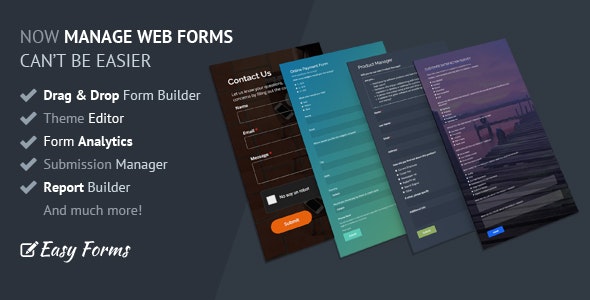
Easy Forms 是一个功能齐全、易于使用的在线表单构建器工具,可加快表单构建过程 - 因此您可以更快地完成在线表单并享受其余工作而无需代码。
您可以在几分钟内快速轻松地开始创建在线表单,无需任何编程技能!
在线演示
https://demo.easyforms.dev/
Username: admin
Password: 123456
Username: user
Password: 123456
功能简介
表单构建:轻松创建各种类型的表单,包括联系表单、订阅表单和调查表单等。
自定义选项:灵活定制表单的字段类型、布局样式、颜色和字体等,以满足用户的具体需求。
预览功能:提供实时预览功能,让用户在发布之前可以查看表单的外观和功能。
响应式设计:支持响应式设计,确保表单在各种设备上都能良好地显示和操作。
嵌入功能:轻松将表单嵌入到网站或应用程序中,以便收集用户反馈、订阅信息或进行调查。
数据收集和分析:提供数据收集和分析功能,帮助用户了解表单的性能和用户行为,从而优化表单设计和功能。
用户友好的界面:具有直观的界面和易于操作的功能,即使是没有编程经验的用户也能轻松上手。
多种字段类型:支持各种常见的字段类型,如文本框、单选框、复选框、下拉菜单等。
安全性:提供安全性保障,确保用户提交的数据受到保护,防止恶意攻击和数据泄露。
全面的文档和支持:提供全面的文档和支持资源,帮助用户快速上手并解决遇到的问题。
Online Form Builder
Build online forms free and without limits.
Easily create the forms you need: Contact forms, Order forms, Registration forms, Online surveys, Quizzes, Survey Funnels WhatsApp Contact Forms and more.
Drag-and-drop your form elements to rearrange them. No coding skills required.
Touch-friendly Drag and Drop
W3C-valid HTML5 Fields
Electronic Signature Field
Add, Duplicate, Edit, Update and Delete Fields easily
Add Form Components with a Click
Drag-and-Drop Column Control
Built-in support for users on smart-phones, tablets, and other mobile devices.
Create Multi-Step Forms
Link to One Page of a Multi-Page Form
Add friendly hints and placeholders, making your forms easier and friendlier to fill out.
Set a default value for certain fields. They’ll be submitted if the visitor doesn’t change them.
Allow users to upload multiple files
Accept any file type
Optionally limit the quantity, size or type of file you want to receive
Add advanced field validation
Write your very own field validation rules using regular expressions
Set a specific space between your fields with our Spacer Field.
Use a powerful wysiwyg editor with our HTML Snippet Field
Embed images, videos and maps
Matrix Table Field (Likert Scale) with HTML5 input fields
Include Google reCAPTCHA v2 or v3 in your forms
Multiple reCAPTCHA theme options.
Choose between Invisible reCAPTCHA or “I’m not a robot” checkbox
Smart reCAPTCHA. Save the correct answer of a user. So, he don’t have to fill it again.
Bootstrap CSS Support
Set the positioning of your field labels across your form.
Checkboxes and Radio Buttons can have images or icons
Custom Checkbox and Custom Radio Button by using CSS styles
Remove jаvascript code in the HTML generated by the Form Builder
Set an Alias to each Form Field to identify it or export it with a customized parameter
Accessible Forms: Set custom attributes to your fields
Theme Designer
Change the form design without write a single line of CSS code
Create beautiful, branded, online forms easily
Copy & paste your design from one form to another with a couple of clicks
Perfect integration with the Form Builder
Google Fonts selector
Web Gradients Editor
Beautiful selection of Subtle Patterns by Toptal
Powerful Color Picker with transparency
Field Suggestions
Real-Time Preview
Reset the design with a click
And more!
Forms Management System
Private Forms (Internal Forms)
RTL Forms
Duplicate Forms (Including Form Fields, Form Settings, Notifications, Conditional Rules, Theme)
Import / Export Forms between different sites
Use a unique URL to easily share/link a full-page form.
Share friendly links to your forms
Easily embed your form in your website, blog, shop —wherever you want it! No extra programming needed – just copy our code.
Multiple embedding options and formats.
Add a custom confirmation message or redirect to another website
Add Field Variables in the URL to be redirected and confirmation messages
Show a confirmation message and redirect to another page after a seconds
Conditional Redirection: Redirect your users to different pages according their responses
Double Opt-In: Let your users confirm their email addresses
Load external jаvascript file
Anti – Spam Protection (HoneyPot Technique)
Generate Submission Number
Limit Submission per Time Period
Limit Submission by IP and/or Browser Fingerprint
Auto-deactivation by dates
Set the Time Zone and Date Format for Submissions
Implement Save form & resume later
Forms with Password Protection
Assign your forms to different users
Embed your Forms only on authorized websites
Embed your Form in a PopUp or Modal Window
Edit a Form Submission in your own website
Define when a form submission can be editable by time and/or conditional rules
Protected Uploaded Files (compatible with RBAC)
Disable IP Tracking
Compress the Forms’ Uploaded Images automatically
Share Forms between registered users
Download / Share the QR code of your forms
Manage Form Add-ons
PopUp Form Designer
Place the form inside a popup without write a single line of code
When it opens, focus will be restricted to elements inside the popup
Use our popup form to convert website visitors to subscribers
Choose between multiple colors, backgrounds, sizes, animations and effects
Configure the PopUp margin, padding, width, border with and border radius
Set the animation effect and animation duration
Change the Button text and button color
Place the Button position Inline or at the border of the Browser Window
See a preview and get the generated code with one click
Embed multiple pop-up forms on the same page
Form Endpoints / Download the HTML
Form backend platform for designers and developers
Download Form Files with all their features or just the HTML & CSS files
Customize your forms on your website and/or mobile app
No Embeds or iFrames. No overrides! No scripts!
Use regular HTML forms or use the Form Endpoint as an API!
Standard form submission redirect back to your website. Our app is virtually invisible
Use custom field names in your external form
Easily collect unlimited files attachments per form submission
Our powerful server-side field validation system for your external forms
Spam Filtering and reCAPTCHA
AJAX Forms: Also, our endpoints accept Ajax Form requests.
CORS validation: Only accept form submissions from Authorized URLs
Get your responses in JSON, XML or simple HTML.
Collect data and redirect the browser to another 3rd-party page
Capture associative array POST requests from 3rd-party apps
Edit form submissions
Themes & Templates
Customize your forms’ branding.
Theme & Template Managers
Advanced CSS Editor with Form Live Preview
Easy integration with the forms
Template Promotion and Categories
Comes with +10 pro-level themes
Templates for event registration, contact forms, customer surveys, trivias, RSVPs, and more.
Administrators can assign Themes and Templates to another users
Users can share Themes and Templates to other users
Notifications
Dynamic Content (Template Language)
Send Instant Notifications
Be notified by email every time a form is submitted or when the end-user confirms his email address (double opt-in).
Send confirmation messages (Email Auto-Responder)
Send your customer a fully customizable email upon form submission. You can include data they entered in the message, too.
Select multiple email fields in order to send email confirmations
Set up multiple recipients
Send notification to multiple emails collected by the same Email field
HTML / Plain Text Email
Wysiwyg Editor to edit email messages
Auto-Suggestion tool to merge collected data in your email messages
Upload images and add tables to your email messages
File Attachment if your form has file upload fields
Supply a custom “From” address for auto-response messages
Use PHP mail() function
Support for PHP SMTP Authentication. (Use your own SMTP mail server)
Send Test Email
Redirect your visitor to a specific URL after the double opt-in.
Send your submissions to another application or script
Show your visitors or customer a custom message after submission.
Hide empty fields in email notifications and confirmations
Rule Builder
Create the conditional logic easily, no coding knowledge required.
Intuitive interface
Multiple rules, conditions and actions
Name / Describe each conditional rule
Duplicate complex conditional rules in one click
Reordering Conditional Logic using a Drag & Drop interface
Show / Hide Fields
Enable / Disable Fields
Copy values from one field to another
Copy HTML content from one HTML element to another
Set or Copy static values according to your conditional logic
Perform basic math operations
Evaluate advanced math expressions (formulas)
Date Calculations with Conditional Logic
Format numbers to look like currency, percentages, times… easily
Format text string to merge field values and place them in another field
Skip steps with Multi-Step Forms
Submit / Reset Forms with Conditional Logic
Enable / Disable Opposite actions
Auto-Suggestion tool to use collected data in rule actions
Conditional Validation: Required validation only if the Field is visible
Submission Management System
Advanced Submission Grid
Sort Form Submissions by Field Values
Alert new submissions
View submission details
Identify each field by its label and alias
Custom Submission Number
Show / Hide Empty Fields in submission details
Bulk Actions: Mark as Read / Unread
Comment System (Leave a comment about the form submission)
View sender information (with Leaflet Map and Google Map support)
Track the landing page and referrer URL of each form entry
Edit and Delete each submission
Export submissions as MS Excel or CSV
Filter Form Submissions by Date Range
Set a Date Range to export more granular entries
Print form submissions (PDF compatible)
File Management
Re-Send Email notifications and Email confirmations
Report Builder
Build reports on form submission
Use Row, Bar, Donut and Pie charts
Move & Resize any Chart
Interact with your Charts with one click
Filter by Date Range
Save Submissions Report as PDF with Browser print function
Form Analytics
Get an instant overview of form stats, including conversion rates.
See how many people looked at your form.
Know how many visits are made before your users send the form
Improve the form and increase conversion rate
Form Performance report
Submissions Analytics report
Track how many people started filling out your form.
See the number of submissions for every form, in one single view!
Disable form tracking on the fly
User Management with RBAC system
User Registration: Your users can register and create their own forms
Require email confirmation
Limit access to user login page to specific IP addresses
Login with two factor authentication
Use captcha in your registration forms
Set the default user role when a new user is registered
Robust and Flexible RBAC system
User Roles (out-of-the-bex): Admin and User
The “Admin” can access to the entire application
The “User” is able to create and manage his own forms and themes
Create custom roles and permissions
Define distinct roles with a set of customizable permissions
Assign one or multiple roles to users
Assign one or multiple permissions to user roles
Assign roles and/or permissions to users
Give your users permissions so they can access the add-ons
All users can be blocked
Profiles
User Preferences
Force Password Change
Require User Email confirmation
Login Security: 2FA with Google Authenticator
Session Security: Session Timeout
Login by email or username
Password reset and/or recovery
Maximum Password Age
Add-ons & Integrations
REST API module
Google Analytics: Track your visitors in Google Analytics (Compatible with GA4)
WebHooks: Send submissions to another server with customized parameters
Amazon SES Integration & Sendinblue Integration to send all the transactional emails
Browser Geolocation (Google Maps Geocoding integration)
Multi Language
English, Spanish, German, French, Italian, Chinese, Thai, Turkish, Indonesian and Dutch languages
You can translate all the application to other languages easily
You can set up each form to use a different language
The user has the ability to change and select default language for his user account
Administrators can change Date and Time Format for the entire application
Other
Responsive Design
Use your own logo
Based on latest of Bootstrap 3 and Yii 2
Glyphicons PRO 1.9.2
系统需求
服务器 Linux/Unix(建议),Windows或Mac OS X
Web服务器 Apache(建议),Microsoft IIS或任何类似的Web服务器
PHP版本 v7.2或更高版本(不支持8.2)
数据库 MySQL v5或更高版本建议使用
Cron Job(可选项。用于更新统计信息和发送异步通知)
Web服务器应该能够读取和写入应用程序文件(文件权限)
使用的PHP扩展
Easy Forms需要以下PHP扩展:
Ctype
cURL
DOM
FileInfo - 用于 mime-type 验证。
GD或ImageMagick。
iconv
ICU 版本 > 49
Intl - i18n支持。
JSON
MBString
OpenSSL
PCRE
PDO
PDO MySQL驱动程序
Reflection
SPL
XMLWriter - 用于将条目导出为 MS Excel 文件
Zip - 用于导出表单和表单提交。
更新日志
2024年11月22日 - 版本 2.2.1
新增功能:
- 新增:表单小部件。通过使用哈希ID(sid)编辑表单条目。
改进功能:
- 改进:国际化消息。
- 改进:动态内容。默认显示签名图片。
- 改进:条件构建器小部件。
- 改进:表单管理器。“打开表单”按钮。
- 改进:表单构建器。允许在分页按钮中使用HTML代码。
- 改进:表单构建器。将分页按钮添加到画布。
- 改进:表单构建器。矩阵字段 > 自定义属性。
- 改进:表单构建器。实现Prepend、Append和输入组CSS类。
- 改进:表单构建器。优化图像选择(单选和复选框)的设计。
- 改进:表单构建器。使用BS5 Toast显示保存数据错误提示。
- 改进:表单构建器。通过表单控件设置自定义表单选择设计。
- 改进:表单构建器。添加工具以自定义输入组的设计。
- 改进:表单构建器。设计面板 > 分页按钮 > 边距和填充。
- 改进:表单构建器。设计面板 > 表单控件 > 焦点 > 文本颜色。
- 改进:表单构建器。设计面板 > 字段验证。
- 改进:表单构建器。设计面板 > 字体选择器,支持样式和字重。
修复问题:
- 修复:禁用的表单消息未正确显示。
- 修复:提交管理器 > 上传文件。
- 修复:根据条件规则显示/隐藏国际电话号码。
- 修复:使用Krajee文件输入UI小部件显示验证错误。
- 修复:表单页面设置 > 网站图标(上传和删除)。
- 修复:在表单URL中添加sid=0导致500错误。
- 修复:在数字字段中发送文本时的验证错误消息。
更新内容:
- 更新了依赖库。
下载地址&安装方法
[payhide-easyforms]
安装方法
1、下载源码,解压缩,将app下的内容上传到服务器。
2、创建MySQL数据库。
3、打开域名进行安装 http://domain.com/install.php
4、根据提示输入任意字母作为授权码,输入数据库信息以及管理员信息。
5、完成安装。
[/payhide]